
Toyota Build Sheet by VIN: Get Your Original Factory Specs
See how your Toyota was originally built. Enter your VIN to check available factory equipment, options, specifications, colors, and other original build details.
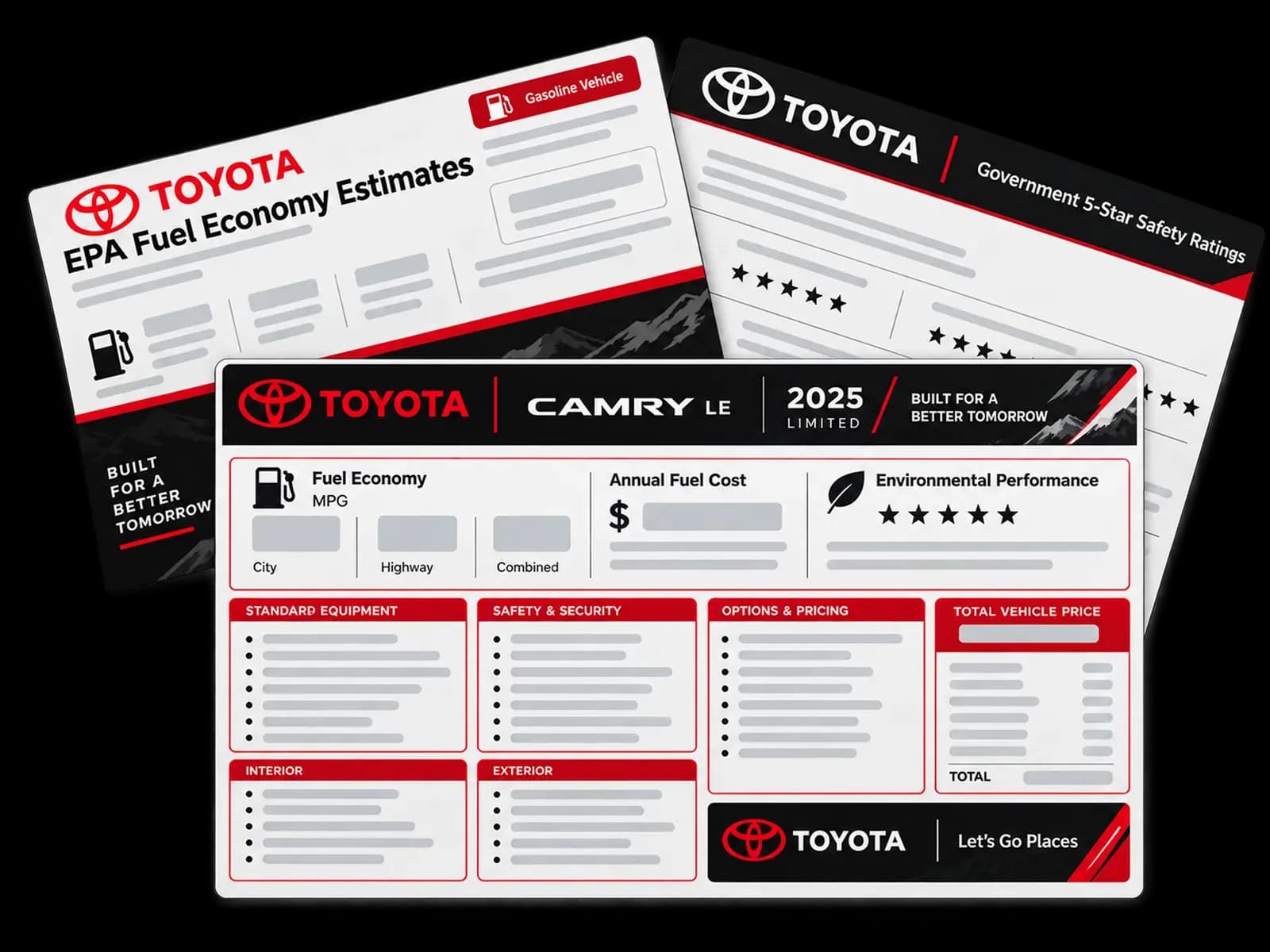
What Is a Toyota VIN Build Sheet?
A Toyota build sheet is a detailed record of how a specific Toyota was originally configured when it left the factory. It contains important build information linked to the vehicle’s VIN, including factory equipment, trim, engine, transmission, colors, options, packages, and other available specifications.
With a build sheet you understand the vehicle’s original setup instead of relying only on the current appearance or seller description. Get one by VIN now!
How to Get a Toyota Build Sheet by VIN
Getting your original factory information is simple. Just follow these easy steps:
Enter Your VIN
Enter your Toyota’s VIN into the build sheet lookup tool above. The VIN connects your vehicle to its available factory information.
Preview Your Results
Review the available factory details associated with your Toyota, including specifications, equipment, and build information.
Get Your Build Sheet
Complete your purchase to access the full build sheet with available original vehicle details.

Need Help?
Have questions about your lookup? Contact our support team for assistance.
What Can You Find on a Toyota Build Sheet?
A build sheet by VIN lookup shows everything installed in a vehicle at the Toyota factory. This includes the following:
Original Equipment
See the equipment installed when your Toyota was originally configured, such as power windows, heated seats, audio systems, and driver-assistance features.
Factory Options
Check optional packages, upgrades, and factory-installed equipment, including premium trims, technology packages, towing packages, and appearance upgrades.
Engine & Transmission
See the original powertrain configuration, including engine type, displacement, transmission, drivetrain, and available performance details.
Body and Dimensions
View original body style, vehicle dimensions, wheelbase, weight, seating capacity, and other factory measurements.
Suspension, Steering, and Braking Systems
Check available suspension setup, steering components, braking systems, and other chassis-related specifications.
Wheels, Tires, and Equipment
See original wheel sizes, tire specifications, and factory-installed wheel equipment for your Toyota.
Colors & Trim
Check the original exterior color, paint information, interior color, upholstery, and trim details assigned to your Toyota.
Original MSRP & Pricing
View original MSRP and available pricing details, including base price, destination charges, and additional factory options.
Fuel Economy & Safety Ratings
See EPA fuel economy information, including city, highway, combined MPG, and emissions details when available, as well as safety equipment and ratings.
Production Numbers and Classic Toyota Data
For select classic Toyota models, view available production details, manufacturing information, factory specifications, historical data, and rarity information.
See a Sample Toyota Build Sheet
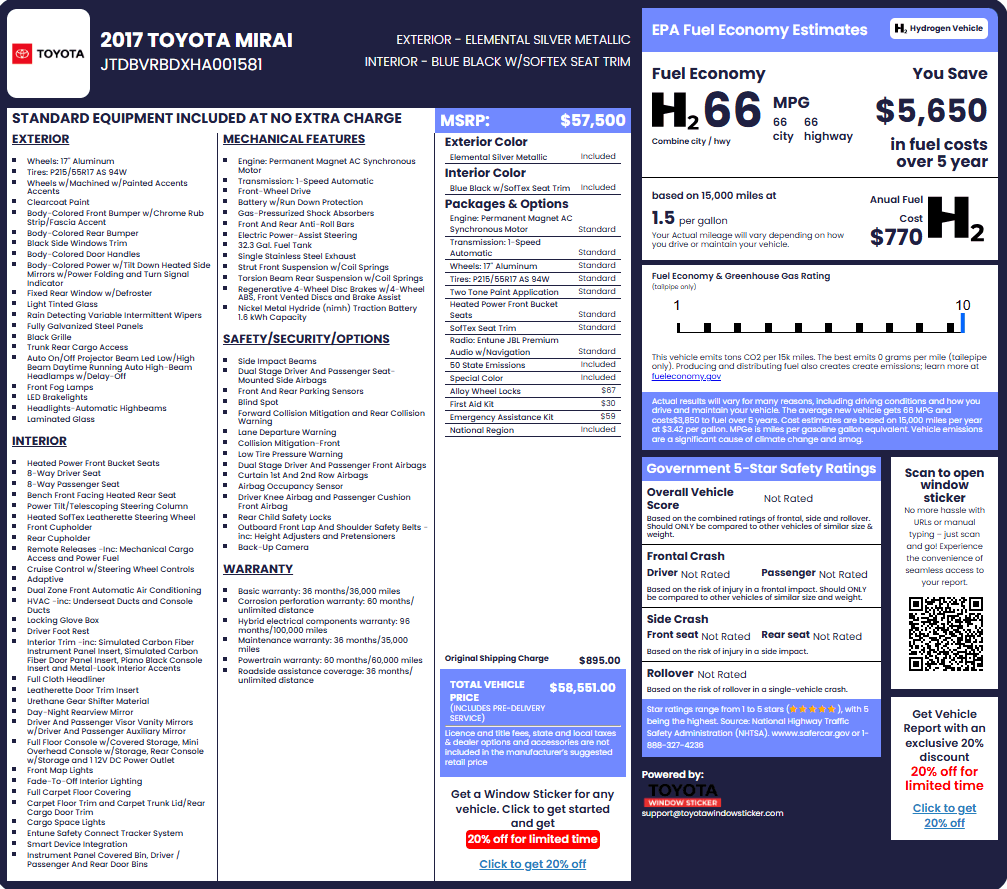
Want to know what you’ll receive before ordering? View a sample build sheet to see the types of factory details available in the report.
Why Are Toyota Build Sheets Important?
Buyers
Verify the Original Configuration
Compare the vehicle’s current features with its original factory setup before buying.
Confirm Factory Options
Check if advertised packages, upgrades, and equipment were included when built.
Make Better Decisions
Use factory details to better understand the Toyota you are considering.
Avoid Misrepresented Details
Identify differences between the listing and the vehicle’s original specifications.
Sellers and Dealers
Create More Accurate Listings
Provide verified factory details to make vehicle descriptions more complete.
Highlight Valuable Features
Show original options, packages, and equipment that add buyer interest.
Build Buyer Confidence
Give customers more information about the vehicle’s background and configuration.
Answer Customer Questions
Quickly confirm factory specifications when buyers need details.
Collectors and Restorers
Restore Factory Accuracy
Use original build details to guide restoration work and part selection.
Verify Vehicle Originality
Compare the current vehicle with its original factory configuration.
Match Correct Components
Identify original engines, transmissions, colors, trim, and equipment.
Preserve Vehicle History
Keep accurate documentation of the Toyota’s original build details.
Toyota Build Sheet vs. Window Sticker vs. VIN Decoder
These three tools provide different types of vehicle information. A VIN decoder focuses on identifying the vehicle, while a build sheet provides deeper factory configuration details. A window sticker shows how the vehicle was presented and priced when new.
| Toyota VIN Decoder | Toyota Build Sheet | Toyota Window Sticker |
|---|---|---|
| Identifies vehicle details from the VIN | Shows original factory configuration | Shows original retail information |
| Provides year, model, engine, and basic specs | Includes equipment, options, packages, and build details | Includes MSRP, pricing, and fuel economy |
| Explains VIN information | Focuses on how the vehicle was built | Focuses on how the vehicle was sold |
← Scroll horizontally to see more →
Get Toyota Build Sheets for Classic Cars
Older Toyotas may use VIN formats that differ from today’s standard 17-character VIN, with some classic models using VINs ranging from 5 to 14 characters. Our tool supports select classic Toyota VINs and can provide available original build information.
For collectors and enthusiasts, this information can make restoration and research easier. Check available factory specifications, original equipment, production details, and other information to better understand how your classic Toyota was configured when it was built.
How a Toyota Build Sheet Helps When Buying a Used Car
Getting a vehicle build sheet by VIN number can help buyers compare a Toyota’s current condition with its original factory configuration. It provides another way to verify details beyond the seller’s description or online listing.
Verify Factory Options
Confirm that advertised features, packages, and upgrades were included when the Toyota was originally built.
Confirm Trim
Check the original trim level and equipment configuration to make sure it matches the vehicle listing.
Compare Current Equipment
Identify differences between the current vehicle and its original factory specifications, including missing or added features.
Understand Original Configuration
Learn how the Toyota was equipped from the factory, including its original options, specifications, and available build details.
What a Toyota Build Sheet Cannot Show
A Toyota build sheet provides original factory information, but it does not show everything about a vehicle’s complete life. It focuses on how the Toyota was built, not how it has been used or maintained after leaving the factory.
These are some details you cannot see on a build sheet:
| Information Not Shown | Why It Is Not Included |
|---|---|
| Current Vehicle Condition | A build sheet does not show the vehicle’s current mechanical condition, appearance, or how it runs today. |
| Current Modifications | Aftermarket upgrades, custom parts, or changes made after production may not appear in factory records. |
| Complete Ownership History | A build sheet does not provide a record of previous owners or ownership changes. |
| Complete Accident History | Factory build information does not include all accidents, repairs, or damage that happened later. |
| Current Market Value | Original equipment and factory options do not determine the vehicle’s current resale value alone. |
← Scroll horizontally to see more →
Why Choose Our Build Sheet Lookup Tool?
Get access to available Toyota factory information through an easy VIN lookup process. Our tool helps you quickly find original specifications without manually searching through vehicle records.
Easy VIN Lookup
Enter your VIN and find available factory details.
Detailed Vehicle Information
View important specifications and build information.
Supports Most Toyota Models
Check popular Toyota cars, trucks, SUVs, and hybrids.
Helpful Factory Details
Review available equipment, options, and specifications.
Simple Online Access
Get your Toyota information from anywhere.
Built for Everyone
Useful for buyers, sellers, and collectors.
Get Build Sheets for ALL Toyota Models
Our Toyota VIN build sheet tool works for many Toyota models, including modern vehicles and select classic cars. Available information depends on the VIN and model year.
| Land Cruiser | Tacoma | 4Runner | Avalon | Highlander |
|---|---|---|---|---|
| Highlander Hybrid | Corolla Cross | C-HR | Sequoia | Sienna |
| Grand Highlander | Mirai | Prius | Tundra | RAV4 |
| RAV4 Prime | Venza | Camry | Corolla | bZ4X |
| Yaris Cross | GR Supra | GR86 | FJ Cruiser | Crown |
← Scroll horizontally to see more →
See How Your Toyota Was Built at the Factory in Seconds
Find out how your Toyota was originally built. Enter your VIN to check available factory equipment, specifications, options, colors, and other original vehicle details.
Frequently Asked Questions
What is a Toyota build sheet?
A Toyota build sheet is a factory record showing how a specific Toyota was originally configured. It can include details such as equipment, options, specifications, colors, and other available factory information.
Can I get a Toyota build sheet by VIN?
Yes. A Toyota build sheet by VIN lookup uses your vehicle identification number to find available factory build information associated with your Toyota.
How are build sheets used in vehicle restoration?
Build sheets help restorers return a vehicle closer to its original factory condition. They are used as a reference when replacing parts, matching original colors and trim, verifying factory options, and confirming details such as the correct engine, transmission, wheels, and equipment for the vehicle.
This helps prevent guesswork and ensures the restoration stays accurate to the vehicle’s original build.
What information is on a Toyota build sheet?
A build sheet can include available details such as factory equipment, options, packages, engine, transmission, colors, trim, specifications, and other original vehicle information.
Is a Toyota build sheet the same as a window sticker?
No. A build sheet focuses on factory configuration, while a window sticker shows pricing, MSRP, fuel economy, and retail information from when the vehicle was new.
Can I get a Toyota build sheet for free?
You can use a free build sheet by VIN lookup tool to check available information. Access to a complete build sheet may require an order depending on the available data.
Can I look up Toyota factory options by VIN?
Yes. A factory options lookup can help identify available packages, equipment, and features originally associated with your Toyota.
Can I get a build sheet for a classic Toyota?
Yes. Select classic Toyota vehicles with older VIN formats can be decoded with our tool and the build sheet generated.
Can I use a license plate to get a Toyota build sheet?
Yes, you can use a license plate to get a Toyota build sheet with our build sheet lookup tool. All you need to do is select license plate on the form above and fill out the form.
Can I get a Toyota build sheet without a VIN?
Yes, you can get a build sheet with the license plate and even with just the year, make, and model, if you are just researching general specifications of a particular lineup.